Real example below — actually generated on ImageToMP4
Turn Your Pet Photo into an AI Video
One photo of your dog or cat, one line of stage direction — a tail wag, a head tilt, a few steps toward the lens — and the still becomes a clip that still looks like your animal. A real corgi run sits below so you can judge before spending anything.
The real example — one input, one output
This is not a concept mockup. The video below was generated on ImageToMP4 with the exact prompt, model and settings shown.
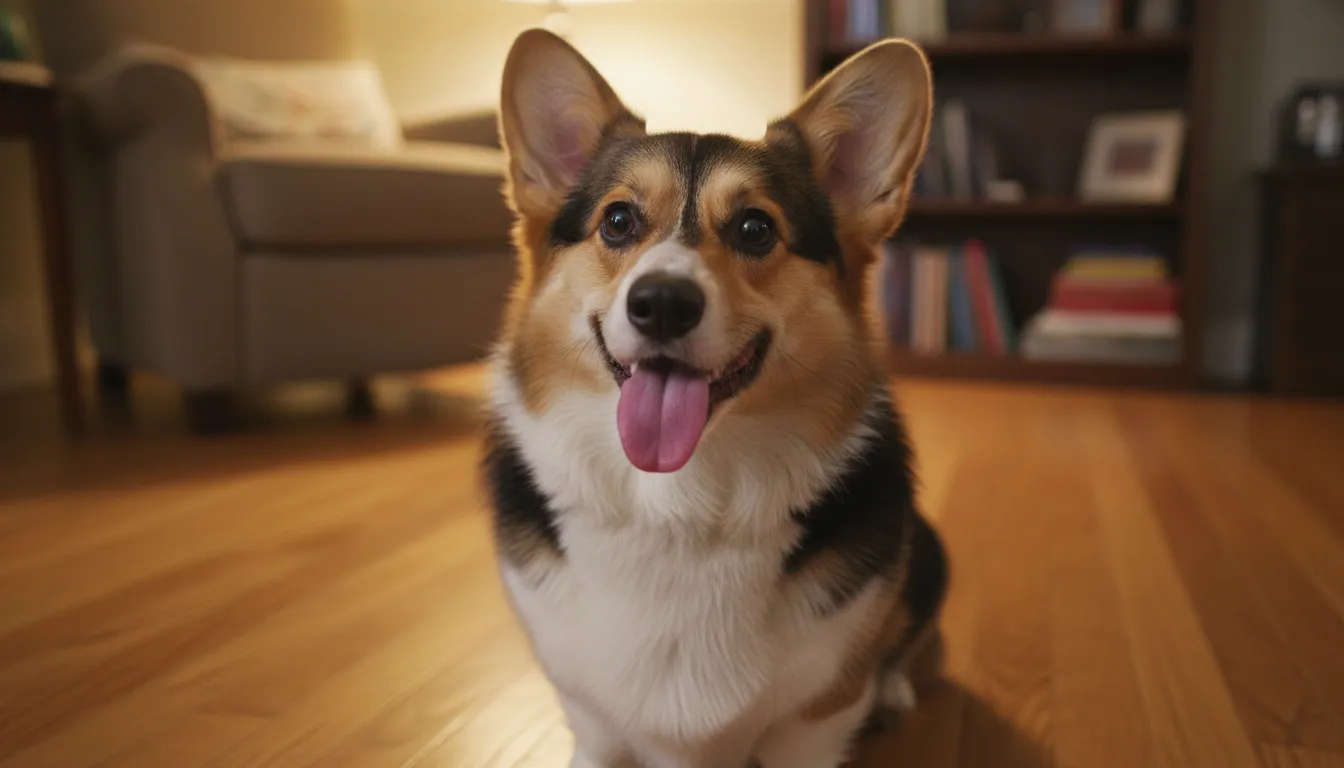 Input — one corgi photo
- Model
- Seedance Mini
- Observed cost
- ⚡20 credits
- Settings
- 5s / 480p / audio
- Evidence
- Real run, not a mockup
What we observed: Coat and face survived the render intact; the wag and tilt read as real dog behavior, and the bark in the audio lands at the right moment. Watch it above — your eyes are the benchmark that matters.
Cost shown is what this specific run was charged (5s / 480p / audio). Live prices vary by duration, resolution and audio — the generator always shows the exact cost before you pay.
How to make yours in 3 steps
- 1Upload your pet photo. Pick a frame where the whole animal shows — all legs visible, an uncluttered background, decent light. JPG, PNG or WebP up to 8 MB.
- 2Describe the motion. One or two named actions — "wags its tail, tilts its head, barks" — beat a choreography sheet. Overloaded motion is the single most common cause of legs going wrong. Start from the prompt above and edit it.
- 3Generate and download. Most videos finish in a few minutes. HD MP4, no watermark. Failed renders are auto-refunded.
Prompt template for pet photos
A tested starting point — replace the bracketed parts with your photo. (This template is written for reuse; the example above used our verbatim run prompt.)
- · Name the actions explicitly (tail wag, head tilt, small steps) — vague prompts like "make it move" produce drifting or warping.
- · "Preserve its coat pattern, facial features, body proportions" tells the model which details to keep consistent — it helps, but no prompt can guarantee identity across every frame.
- · Ask for "gentle, natural movement" first; you can always re-run with bigger motion once the basic animation works.
Which model to pick & what it costs
| Model | One clip | Best for |
|---|---|---|
| Seedance Mini | ⚡25 · 5s · 480p · audio | Budget start — our corgi example above |
| Kling 2.6 | ⚡25 · 5s · 720p | Cinematic motion step-up (audio doubles the price) |
| Grok Imagine 1.5 | ⚡30 · 5s · native audio | Fast, punchy social clips |
The corgi above is Seedance Mini at 25 credits — 5 seconds, 480p, audio in the file. It is the cheapest credible pet render on the shelf. Kling 2.6 (also from 25 credits at 720p) is the upgrade once you want real cinematic weight. One test is not a ranking: spend one balance running the same prompt through both and let your own animal pick the winner.
One account, one balance — compare all six models with real examples →
What to expect — and what can go wrong
- · Legs and paws are the hardest part — fast running or complex gaits can produce extra or merged limbs.
- · Extreme motion requests (jumping, spinning) often warp the body; gentle motions succeed far more often.
- · Coat patterns usually stay faithful, but very fine markings can flicker between frames.
- · The background mostly holds still — it may drift subtly if you ask the pet to travel far.
Every failed generation on ImageToMP4 is refunded automatically — you never pay for a broken render.
If you need frame-by-frame control, multi-scene editing or a specific camera path, a traditional editor (CapCut, Premiere) over the generated clip gives more control — generate the base here, refine there. For long-form storytelling (30s+), Seedance 2.5 on this site is the built-in option; single-photo animation is not the right tool for feature-length content.
pet photos — FAQ
What is the best AI tool to animate a photo of my dog or cat?
Three tests: does fur stay stable, is there a pet-specific prompt workflow, and are the showcase examples actually real. Here, six models share one balance (Seedance Mini and Kling 2.6 both open at 25 credits), and the corgi above is a genuine run with its verbatim prompt attached — judge the output before any payment.
How much does it cost to turn a pet photo into a video?
The corgi above: 25 credits through Seedance Mini (5s, 480p, audio included) — the budget route. Kling 2.6 at 720p also opens at 25 credits, doubling to 50 when audio is on. Packs start at $5.90 one-time with no expiry; there is no plan to hold.
Does it work with cats, not just dogs?
Whatever the species in the frame, the pipeline is the same. Dogs and cats dominate the workload; the rules travel intact — name the action, keep it small, ask for the markings to hold.
Will my pet still look like my pet?
Scroll up — that is the honest answer for one corgi: coat held, face held. Your mileage tracks your photo: sharp, bright, whole-animal-in-frame inputs are the ones that work.
Do I need a subscription to animate pet photos?
No. Pricing is per video — packs from $5.90 once, no expiry, and failed renders return their own credits. Fresh accounts carry free welcome credits, so the first test run can be on your pet, at no cost.
Is my pet photo kept private?
Yes — uploads never touch a training pipeline, and both the photo and the render are deleted after 7 days.